Update your KYC questionnaire online

You no longer need to visit a bank branch - just fill out the ‘know your customer’ (KYC) questionnaire online in a few simple steps!

Benefits

Save time

Avoid waiting in line at the branch - take care of it online!

Quick and Easy

Update your data in just a few simple steps!

Always Available

You can update your information at any time, directly from your device

Useful information

The ‘know your customer’ questionnaire is about to expire

As the expiration date of the ‘know your customer’ questionnaire approaches, you will receive a notification giving you the option to update your information immediately or skip this step and continue. We will send you a daily reminder until the expiration date.

Option to update your ‘know your customer’ information online

Updating KYC information via digital channels is available to all customers, with the exception of politically exposed persons. In such cases, the information cannot be updated online and must be handled at a bank branch.

What happens if my ‘know your customer’ questionnaire has expired?

Updating your KYC information is always voluntary. If it has expired, you can still use the CIB Bank Mobile App and CIB Bank Online without any restrictions on functionality.

Accessing the KYC questionnaire

In addition to notifications, you can update your KYC questionnaire at any time in the app or in the “Settings – My Personal Information” menu of the CIB Bank Online service. You can start the process directly from the tab for the KYC Questionnaire.

Know your customer questionnaire (KYC Questionnaire) - Update overview
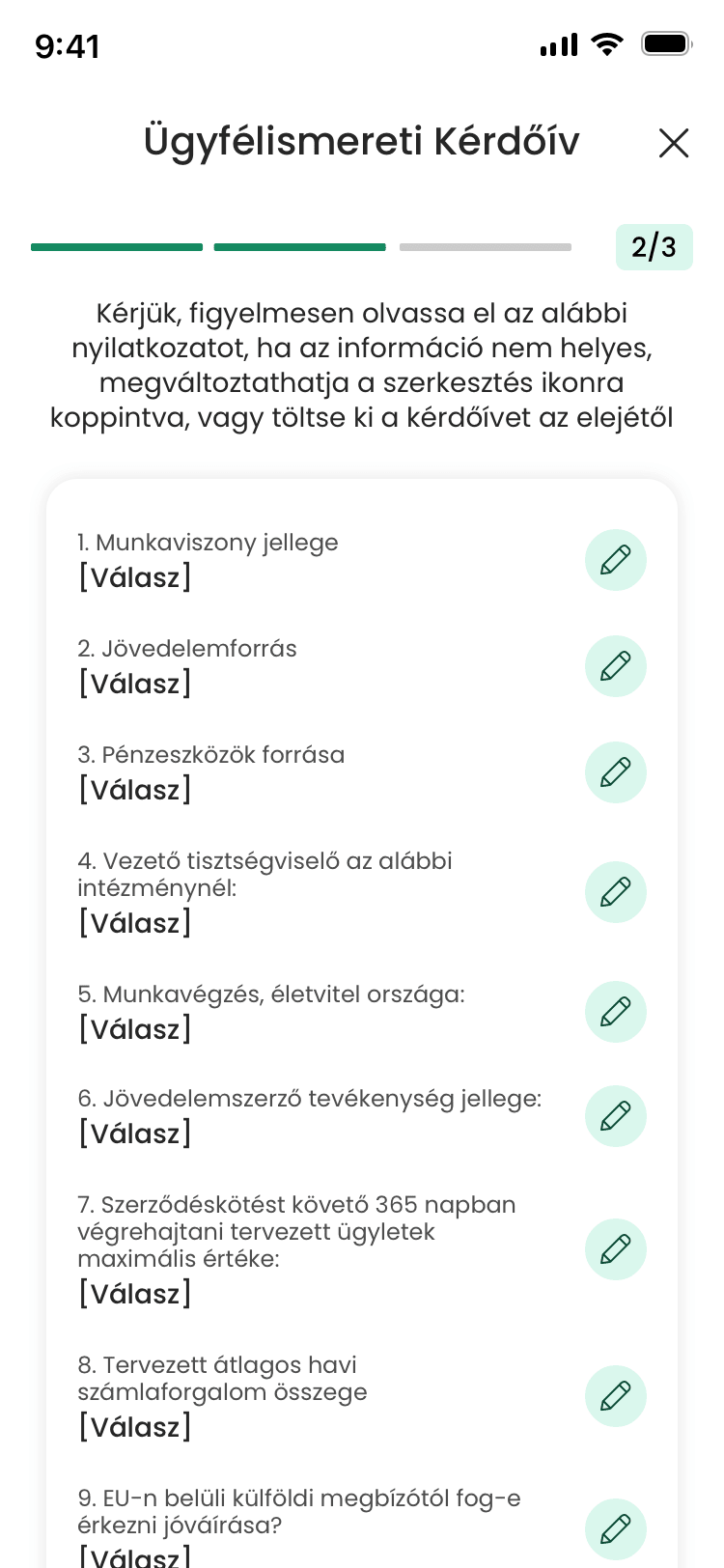
Know your customer questionnaire (KYC Questionnaire) - Update overview

Know your customer questionnaire (KYC Questionnaire) - Update overview

Please check your personal information before you begin. Some information cannot be edited online; in such cases, please visit one of our bank branches.
Please note: If your ID card has expired, you cannot start the renewal process online.
After verifying your personal information, follow the steps to complete the questionnaire!
Review your answers, then digitally sign the document to securely complete the update!
You can view the summary document at any time under the “Documents” menu item.
icon
Discover our digital solutions!

Discover our digital solutions!

Embrace a whole new banking experience! Take advantage of the benefits our digital solutions have to offer! What are they? Let us show you!

Need help?

CIB24 - Nonstop telephone customer service

Find the right assistance for you

(+36 1) 4 242 242

  • Investment transactions and information: working days 8:00 a.m. to 6:00 p.m
  • Existing loan and leasing administration: Monday 8:00-20:00, Tuesday-Friday 8:00-18:00
  • Insurance: Monday 8:00-20:00, Tuesday-Friday 8:00-18:00
  • Merchant card acceptance: 0-24
  • Account management: 0-24
9. Bank card, and e-channel cancellation, phising
Automatic card cancellation
9 1
Automatic e-channel cancellation
9 2
To connect an operator
9 0
1. Identification
Balance inquiry and account information
1 1
Mobile app registration code and digital services
1 2
Savings and investment
1 3
Activate your card, Card and mobile payment services
1 4
Loan and leasing
1 5
-
1 6
-
1 7
2. Without identification
Bank card
2 1
Digital services
2 2
Savings
2 3
Loan and leasing
2 4
General account information
2 5
-
2 6
-
2 7
4. -
-
4 1
-
4 2
-
4 3
-
4 4
7. Customer Service Point Service Map
List of Accessible Branches
7
Chat